HyperKut
Example 01
Fashion edit
Remix · a reference video + one photo
- Mode
- Remix
- Quality
- Standard · 0.6 MP
- Length
- 12.2 s · 9:16
- Shots
- 28
- Seed
- 20261025
- Time
- 21 min on an RTX 4090
View exact prompt
Recreate this fashion edit faithfully.
Short multi-shot videos you keep directing.
Remix a reference edit, start from an idea or cut to your own music. HyperKut writes a plan of shots you can read, change and regenerate one by one. Every job is an open ComfyUI workflow.
Inspired by Higgsfield's Katana, Genjutsu and Cinema Studio. Aimed at short, viral clips and tiny stories.
Every mode ends in the same place: a plan of shots you can read, change and regenerate one by one.
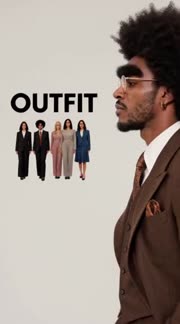
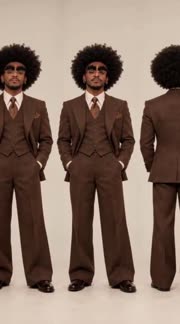
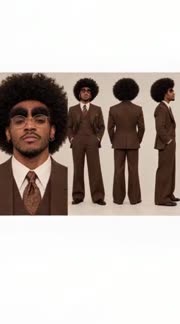
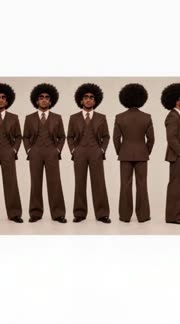
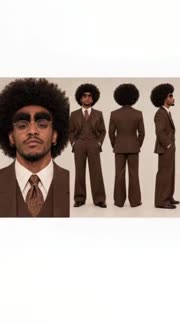
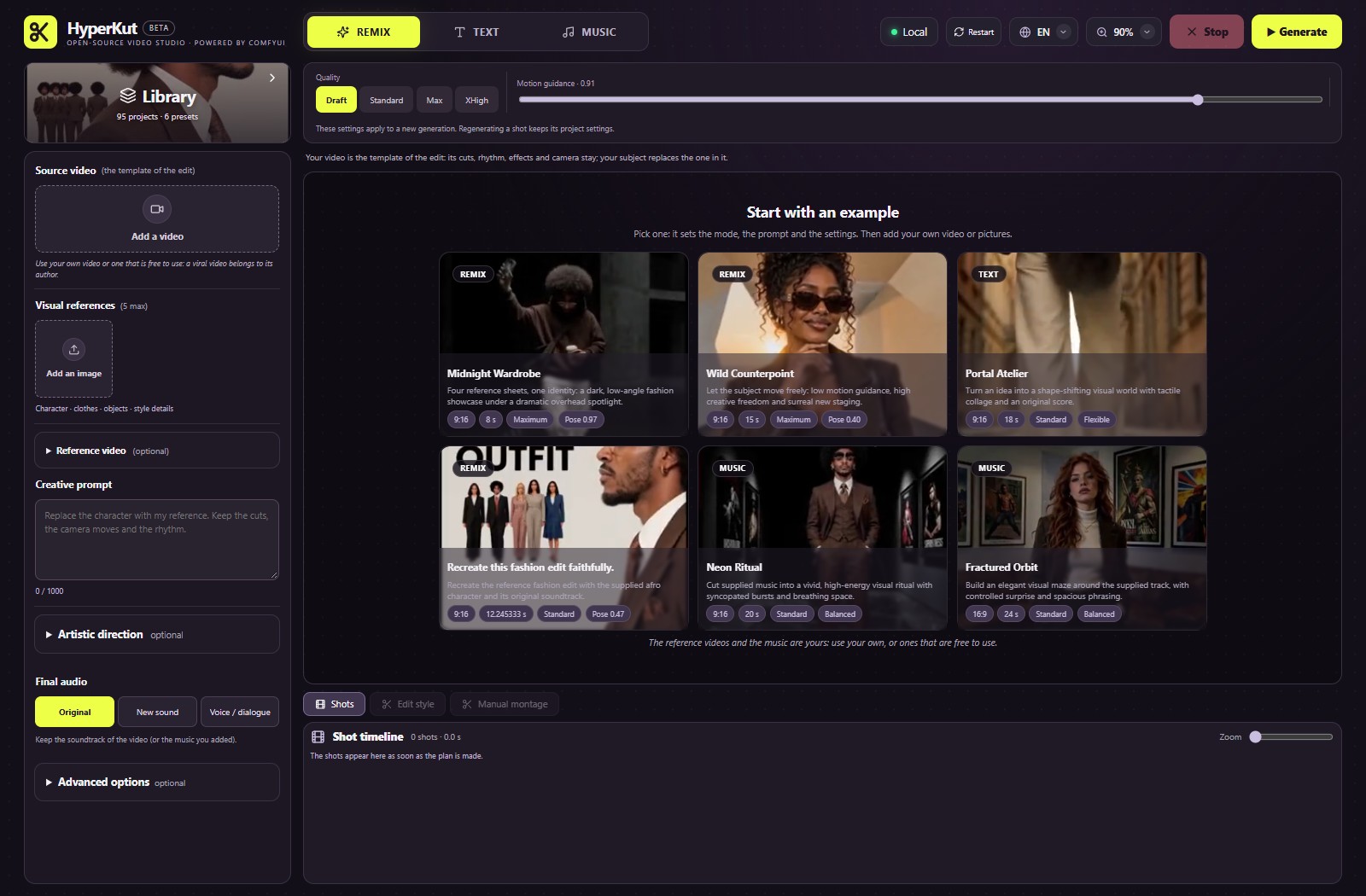
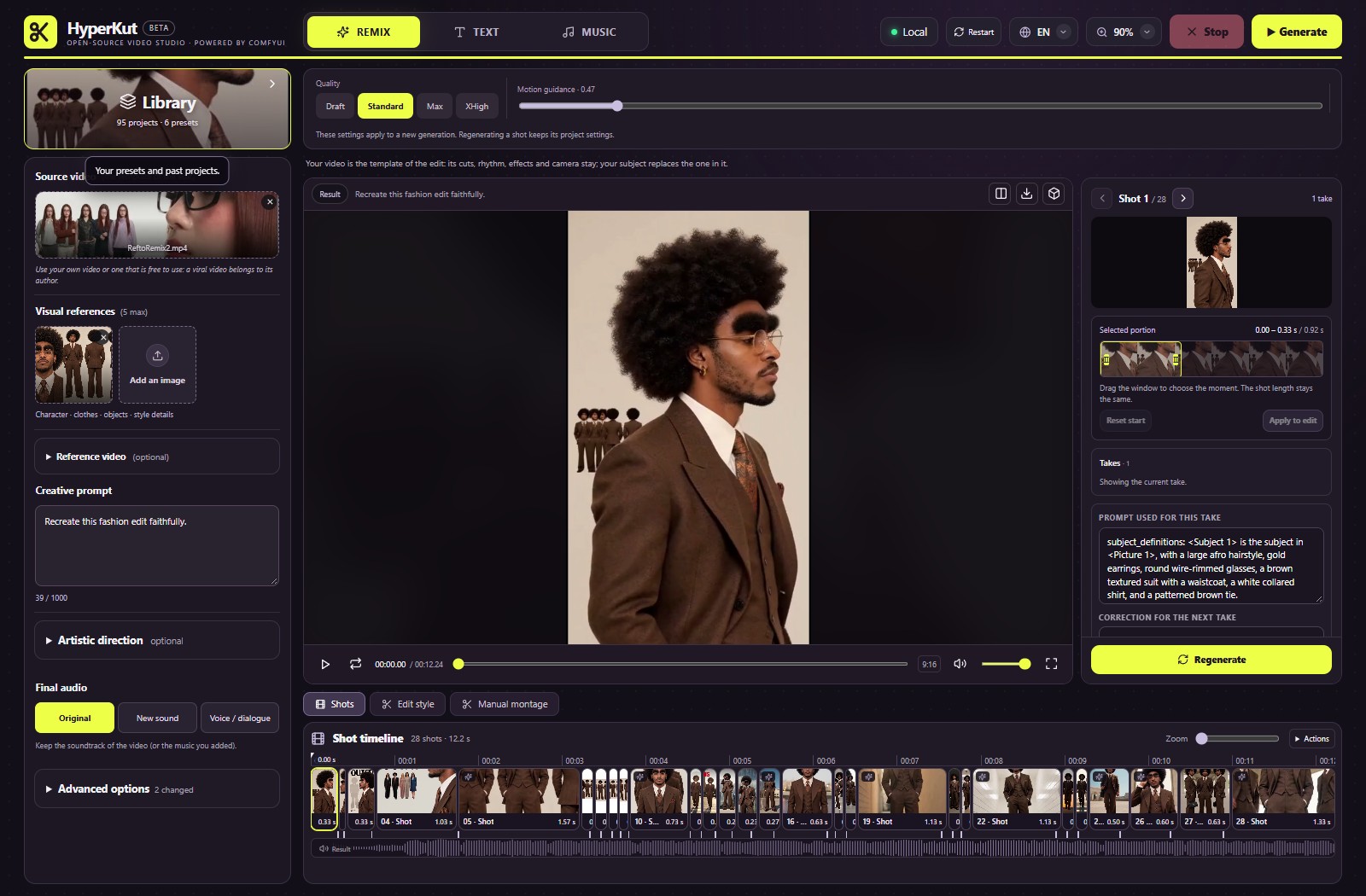
The cuts, framing and rhythm are read from the reference. Every shot is redrawn with your subject, and any one of them can be regenerated alone.
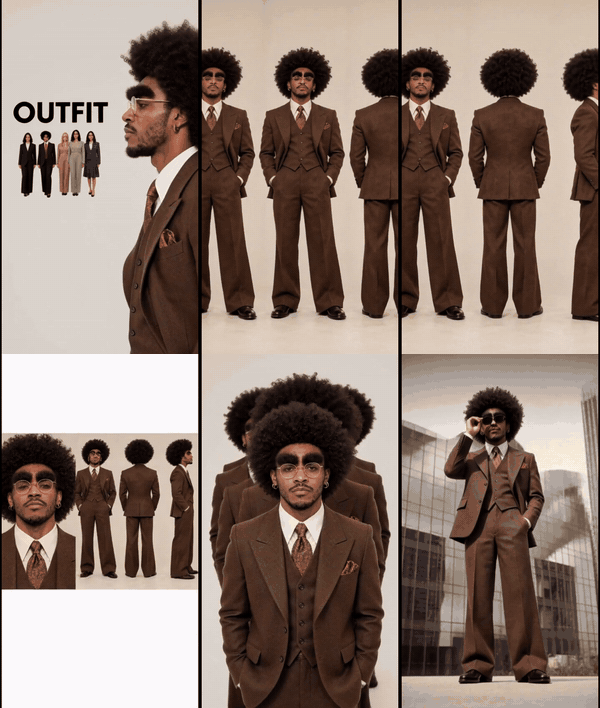
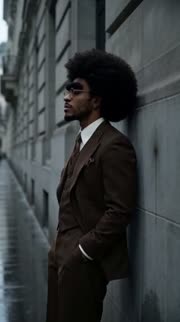
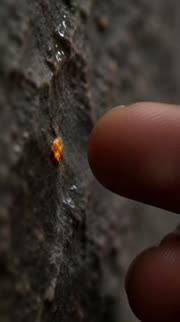
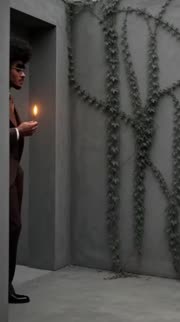
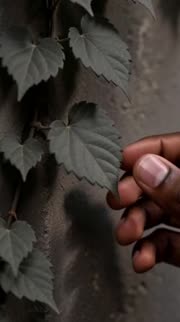
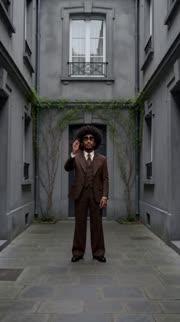
A local model writes the shot list from your idea. You can edit each shot's prompt before or after it renders. A soundtrack is generated too.
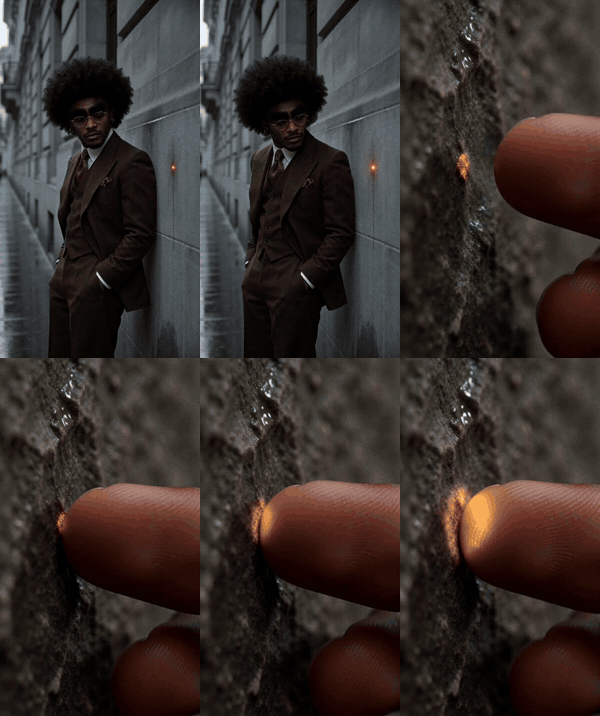
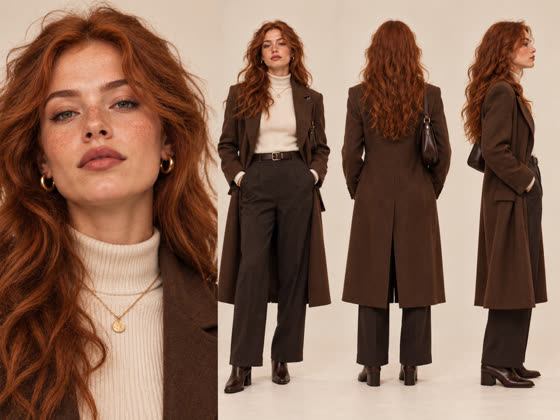
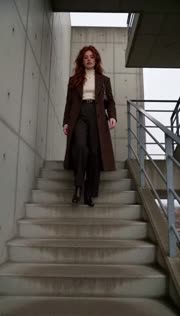
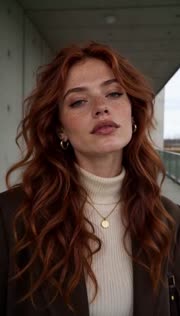
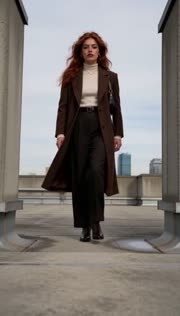
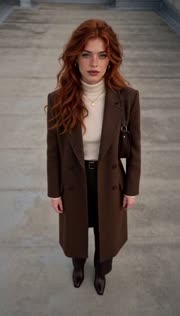
The track's beats and energy set the shot lengths. The music stays yours, untouched.
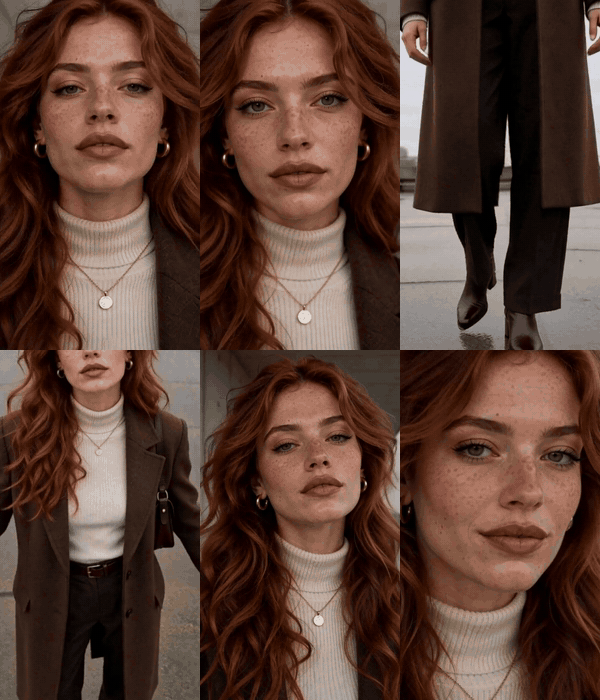
Real projects and real exports, no retouching. The highlighted shot is the one you would regenerate alone. Everyone shown is AI-generated by the author.
Browse two at a time. Each video is an unedited export, and each card keeps the prompt and the seed it was made with.
Recreate this fashion edit faithfully.
<picture1> is the man , and main charater , <Picture2> is the woman only . Reimagine the reference edit as a kinetic fashion-film transformation: each cut reveals a new, striking visual world, unexpected scale shift or graphic match cut, while the subject's identity, clothing and the source action remain recognizable. Follow the source body's pose and movement closely; invent the surrounding staging, lighting, color and transitions. Build toward one unforgettable final image. Do not copy logos or add unrequested readable text. shallow depth of field. film look. cinematic. Anamorphic.
Original streetwear editorial with the supplied red-haired woman in her brown coat and cream knitwear. One stairwell-to-rooftop route, expressive wide-angle perspectives, a step toward the lens and a confident finish. Cut to the provided Log-Drum Groove track. No reference video input.
Create a 12-second premium sneaker ad on Impact Switch. Reference 1 is the afro man; reference 2 is the exact brown-and-cream high-top sneaker product. Keep his brown suit but replace formal shoes with this pair throughout. Four distinct beats: macro leather and laces; low full-body preparation; one clean step landing with visible sole contact; product hero with the man behind. Maintain the same pair, sole, colors and laces. Use measured musical attacks for cuts and restrained line/dot motion accents, never obscure the shoe. No extra footwear, brands, captions or dialogue.
Create a premium 15-second perfume campaign. Use the supplied product exactly if present; otherwise a simple unbranded glass perfume bottle. Start with an arresting macro of a droplet moving across the glass on wet black stone. Reveal the silhouette with a clean rim light, then alternate the cap, glass refraction and a controlled full-product move. A short burst of detail inserts follows actual musical attacks; give the main reveal and final hero frame time to read. Keep bottle geometry, material and label appearance consistent. Restrained silver highlights and deep charcoal backgrounds, no people. Add the exact words NEW DROP once, as a separate clean editorial overlay, never as generated packaging text. End on the product in real time. The music should feel sharp, modern and confident, with room around each impact.
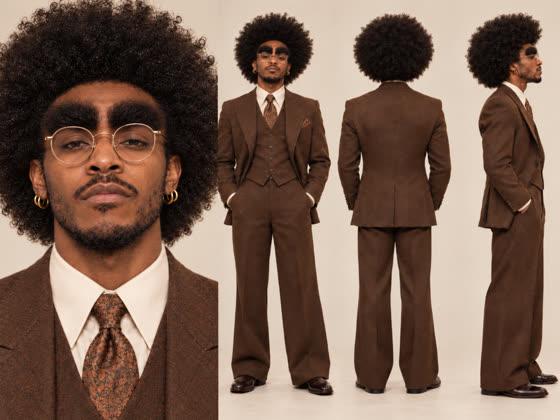
Create THE LAST COLOR, a 15-second emotional micro-story in exactly five 3-second takes. The supplied afro photo is a turnaround of ONE man, not a group: preserve his face, huge round dark curly afro, round gold glasses, gold hoops, moustache and short beard, brown patterned three-piece suit, white shirt and brown tie. One character, same outfit throughout. References define identity, not a fixed pose or beige studio.
Rain-soaked almost-desaturated stone city, sparse people absent except the protagonist. Warm amber is the only initial saturated color. Later a purposeful move into a small grey courtyard is part of the story, not a continuity error. Quiet patient camera, no flashy cutting.
1: Medium side view in the grey street. The man notices one tiny amber glowing pigment fleck on a stone wall. His gaze settles on it, no touching yet.
2: Genuine hand detail. His fingertip touches the already visible amber fleck once; the pigment/light transfers onto his finger. The original wall spot dims. End with amber on fingertip, no spread across the city yet.
3: Wider rear three-quarter arrival in a small grey courtyard, same costume, amber fingertip held carefully near his chest. He takes a short step toward a desaturated climbing vine on the courtyard wall. The color is already held, do not rediscover or touch the original fleck.
4: Close side action. His amber fingertip touches one grey vine leaf. Warm green and gold slowly spread along the first few leaves and into the wall's reflected light. Single touch, no instant whole-world flash. Keep the color source on the hand legible.
5: Wide courtyard payoff. Vine already partly colored; the warm transformation spreads gently through the rest of the courtyard while distant street remains grey. Man lowers hand and watches. End held in a newly warm place, not a repeated hand touch or hero product pose. Each shot is one independent generated take and performs only its own event once. Write a self-contained prompt and first-frame image_prompt BEFORE that shot's new action. Inherited prop state is already established; never replay earlier events or summarize the whole film in each shot. Use SHOT_001 etc in chronological order. Preserve stated product/character design and motivated continuity, not identical framing. Essential action must happen within the usable shot duration, then hold its consequence for unused raw-take time. Protect key actions, no internal sub-cuts through them. Generate clean footage without lettering, logos, subtitles or graphic stickers. Editorial titles and vector accents are supplied separately: do not add fx.text, text objects, motion_title, motion_cues or text layers. Add no extra generated shots. No source video and no generated scene-illustration prepass. Music accents are intent; finishing uses measured attacks, never reorder the story for an assumed drop. Music direction: Instrumental emotive ambient electronica, spacious 84 BPM pulse, fragile glassy motif, warm low synth bed, sparse soft percussion. Begin desaturated and intimate, gradually broaden harmonic warmth as color is shared, gentle sustained hopeful ending. No dramatic trailer swell, jazz, swing, sax, vocals or mandatory bass drop.
10-second PULSE ONE high-tech over-ear headphone ad with the afro man, brown suit and glasses. Red/white/black studio, two product macros then profile earcup-touch and frontal hero. Hard trap hip-hop, heavy 808 bass, stylish stereo SFX, animated red lines/points and kinetic type. XHigh 1.5MP.
Create GRAVITY OFF, a 12-second premium surreal sneaker advertisement, exactly four 3-second takes. The photo defines the cream and brown high-top sneaker: preserve suede/leather panels, cream laces, sole and actual side-panel design; the photo shows a pair but this film follows ONE shoe only. No foot or person. Blue-hour concrete street crossing, tiny loose gravel, cobalt practical rim light, tactile luxury product imagery.
1: Low close profile, one shoe descends the final few centimetres and touches the concrete once. Start just above the surface; end sole resting on concrete. Readable contact, no bounce loop.
2: Genuine macro of the sole and gravel already beside the grounded shoe. Small pebbles lift slowly into the air while the shoe remains grounded. This is the first impossible change, not another landing.
3: Wider three-quarter product shot. Gravel already suspended; the same shoe rises gently about twenty centimetres and settles into stable levitation. No second shoe, no orbit of duplicated shoes, no new landing.
4: Held low product hero. Shoe already levitating; the pebbles fall back onto the ground below, leaving only the shoe suspended. A controlled tiny lateral camera move reveals its silhouette. End on the floating shoe, not a return to the opening. Each shot is one independent generated take and performs only its own event once. Write a self-contained prompt and first-frame image_prompt BEFORE that shot's new action. Inherited prop state is already established; never replay earlier events or summarize the whole film in each shot. Use SHOT_001 etc in chronological order. Preserve stated product/character design and motivated continuity, not identical framing. Essential action must happen within the usable shot duration, then hold its consequence for unused raw-take time. Protect key actions, no internal sub-cuts through them. Generate clean footage without lettering, logos, subtitles or graphic stickers. Editorial titles and vector accents are supplied separately: do not add fx.text, text objects, motion_title, motion_cues or text layers. Add no extra generated shots. No source video and no generated scene-illustration prepass. Music accents are intent; finishing uses measured attacks, never reorder the story for an assumed drop. Music direction: Instrumental futuristic trap, straight 144 BPM, deep sliding 808, clipped metallic pluck hook, tight dry snare and crisp rolling hi-hats. Brief near-silence immediately before the impact, bass returns with suspension, decisive short stop. No jazz, swing, sax or long intro.
Create CHROME BLOOM, a 15-second surreal premium headphone film in exactly four useful takes, about 3.75 seconds each. Lock ONE unbranded complete matte-black over-ear headset: smooth oval earcups, padded black arch, slim brushed-chrome yokes, no light rings or lettering. Repeat this design in each prompt. Pale cracked desert clay, low burnt-orange sunset, warm shadows, tactile reflective chrome. No people.
1: Wide low establishing product shot. Complete headset rests on cracked clay. A tiny loose dust ring shivers around its base, suggesting one vibration. No plants yet, headphones stay intact.
2: Close ground detail beside the same headset's base. A single thin chrome shoot emerges slowly through a crack. Its tip remains closed. Headset partly visible for continuity; no flower reveal yet.
3: Medium view. That chrome stem is already present; two more slender stems grow beside it, then the first closed bud unfolds into a reflective metal flower. Growth stays behind and beside the headset, never through the earcups. One coherent transformation, no repeated emergence.
4: Final product hero. Headset already surrounded by three chrome flowering stems. Petals gently finish opening and settle in the sunset. Camera makes a small deliberate arc, with headset unobscured. End on a complete metallic garden, no reset to barren ground. Each shot is one independent generated take and performs only its own event once. Write a self-contained prompt and first-frame image_prompt BEFORE that shot's new action. Inherited prop state is already established; never replay earlier events or summarize the whole film in each shot. Use SHOT_001 etc in chronological order. Preserve stated product/character design and motivated continuity, not identical framing. Essential action must happen within the usable shot duration, then hold its consequence for unused raw-take time. Protect key actions, no internal sub-cuts through them. Generate clean footage without lettering, logos, subtitles or graphic stickers. Editorial titles and vector accents are supplied separately: do not add fx.text, text objects, motion_title, motion_cues or text layers. Add no extra generated shots. No source video and no generated scene-illustration prepass. Music accents are intent; finishing uses measured attacks, never reorder the story for an assumed drop. Music direction: Instrumental organic electronica, 112 BPM, deep rounded bass pulse, crystalline mallet-like percussion, sparse tactile clicks and a warm evolving synth motif. Quiet anticipation, emerging rhythmic detail as stems grow, open radiant final chord. No jazz, swing, saxophone or orchestral trailer drop.
Create POCKET STORM, exactly four 3-second takes, 12 seconds total. ONE unbranded transparent icy-blue glass beverage bottle, cylindrical body, short narrow neck, plain screw-on silver cap, clear liquid filling the lower half. Repeat exact design in every prompt. Wet brushed-metal diner counter, deep navy background, cyan practical rim light, no readable labels or extra products. If a hand is needed use one black-gloved hand only.
1: Macro of the closed bottle. A tiny soft cloud is already suspended INSIDE the upper empty glass chamber; it begins to gather into a denser miniature storm. Bottle stays capped and stable, no external fog yet.
2: Close view through the glass. Dense internal cloud already present, one tiny lightning pulse flashes inside it. Condensation starts collecting outside. No repeated cloud formation, no opening yet, no full-screen flash.
3: Medium product view, bottle still capped at first. A black-gloved hand unscrews and removes the silver cap once, placing it beside the bottle. At the end a thin cold mist begins emerging from the open neck. Keep cap removal continuous.
4: Wider product hero. Bottle already open, cap beside it. Cold mist spills low across the counter and fades, revealing rich condensation on the same bottle. End on wet tactile glass and the cap still beside it. Never recap or close the bottle again. Each shot is one independent generated take and performs only its own event once. Write a self-contained prompt and first-frame image_prompt BEFORE that shot's new action. Inherited prop state is already established; never replay earlier events or summarize the whole film in each shot. Use SHOT_001 etc in chronological order. Preserve stated product/character design and motivated continuity, not identical framing. Essential action must happen within the usable shot duration, then hold its consequence for unused raw-take time. Protect key actions, no internal sub-cuts through them. Generate clean footage without lettering, logos, subtitles or graphic stickers. Editorial titles and vector accents are supplied separately: do not add fx.text, text objects, motion_title, motion_cues or text layers. Add no extra generated shots. No source video and no generated scene-illustration prepass. Music accents are intent; finishing uses measured attacks, never reorder the story for an assumed drop. Music direction: Instrumental dark electric techno, 132 BPM, compact heavy kick, taut sub-bass, sharp metallic percussion, crackling electronic motif. Immediate tension, brief rise toward uncapping, one strong impact on mist release, icy sparse finish. No jazz, swing, sax, vocals or long intro.
Create a nocturnal street-performance edit: wet asphalt, a moving figure, car details and practical neon reflections. If subject photos are supplied, keep the same person and clothing throughout. Alternate a readable tracking shot, tactile close-ups and brief bursts of 3-6-frame inserts only where the supplied track has clear attacks. Let quieter phrases breathe. Reserve the strongest visual accent for an actual musical change heard in the track; do not assume a drop or invent its timestamp. Keep movement direction and geography legible. Use hard cuts and one restrained light-trail accent, then end on a confident held composition. No readable text, logos or repeated full-screen flashes. Keep the supplied music intact. Build the performance through a preparation, a committed movement and its visible landing or finish. Preserve the same direction of travel; reserve tiny inserts for accents that do not hide the action.
An original 12-second AURORA perfume story on the supplied crystalline shore. A small visual diary of glass, reflection, light and a resolved bottle reveal. Preserve the exact bottle and label. Dreamlike modern electronic soundtrack, gentle motion and clear product continuity.
An original stylized gothic cartoon performance with the supplied character. Black graphic clothes, skull accessories, teal shadow and warm edge light. A clear preparation, step and pose sequence on the supplied Monumental Final Hit track. No realistic bodybuilding, copied character or footage.
The fashion Remix reference video belongs to silver.muse. Thank you for the inspiration. Everyone shown is AI-generated by the author.
Median time from submit to finished video, over every first-run project in the author's workspace. One RTX 4090 (24 GB).
Six things HyperKut does so that you can steer the edit instead of re-rolling it. Each card says how it works and what it saves.
Render only what you changed.
Change a shot's prompt and send only that shot back to ComfyUI. Locked shots and every other take stay exactly as they are.
Fixing one moment of a long edit does not mean rendering the whole edit again.
Try a variation, lose nothing.
Each regeneration adds a take to its shot. You pick the active take on the timeline and can swap back at any time.
You can explore a different version of a shot without giving up the one you liked.
Retime the edit, not the model.
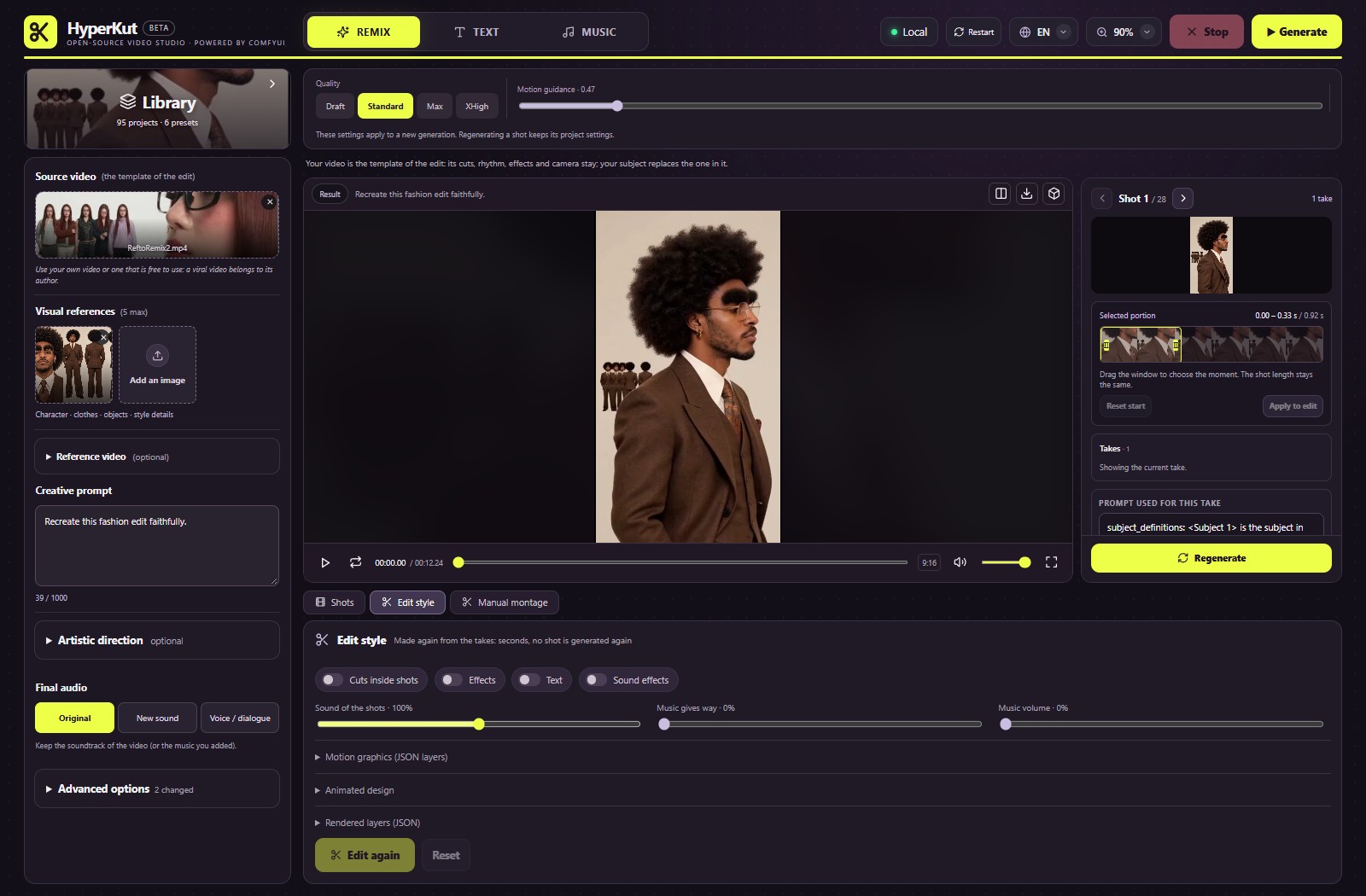
Trim windows, cuts and the order of shots live in a timeline you edit after generation, then you export the final video.
Pace and order are decided on real footage, with no new generation in the loop.
Keep what made the edit work.
The cuts, framing and rhythm are read from the reference video. Every shot is then redrawn with your subject.
You inherit the pacing of an edit you already like, with your own character in it.
The edit moves with the track.
The beats and energy of your track set the length of each shot. The music itself is never touched.
Cuts land where the track hits, without hand-placing a single marker.
Gemma 4 writes the shot list.
A local model turns your idea into a shot list with one prompt per shot. You can edit each prompt before or after it renders.
You start from a readable plan instead of a black box.
Beta. Finishing (effects, titles, motion graphics, sound design) is experimental and off by default.
Every job is a ComfyUI workflow you can open, read and change.
MiniMax H3 renders the shots, Gemma 4 plans them, YuE2 writes the music and FLUX.2 klein draws optional location plates. Each model keeps its own license: see LICENSES.md.
The Studio fills a ComfyUI workflow for each job. The workflows are in the repo, built from Majoor VideoTools nodes, so you can open and change them.
Jobs go through the official Comfy SDK to the Comfy API, served locally by comfy-api-proxy in front of your ComfyUI. Progress and previews stream back to the browser.
The Studio is open source under the MIT license. Read it, change it, run it.
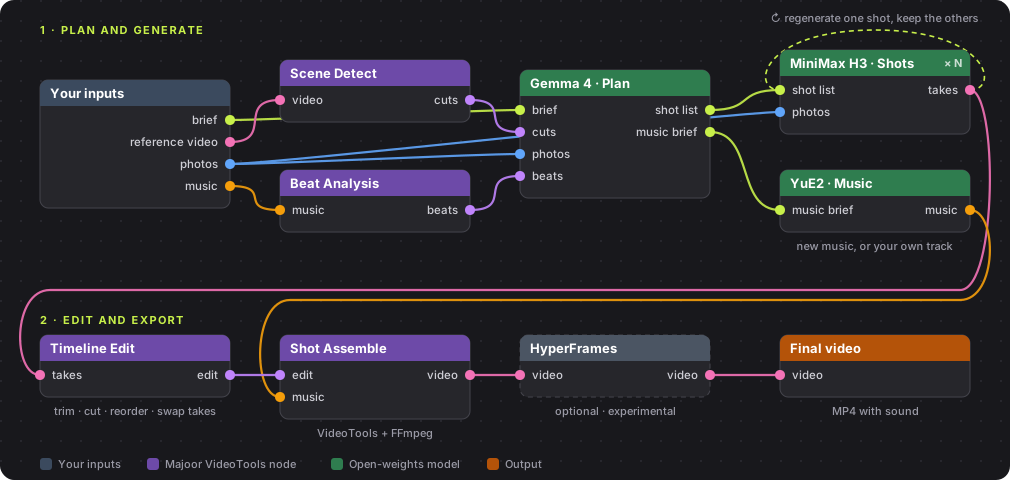
A job as a node graph: plan and generate, then edit and export.
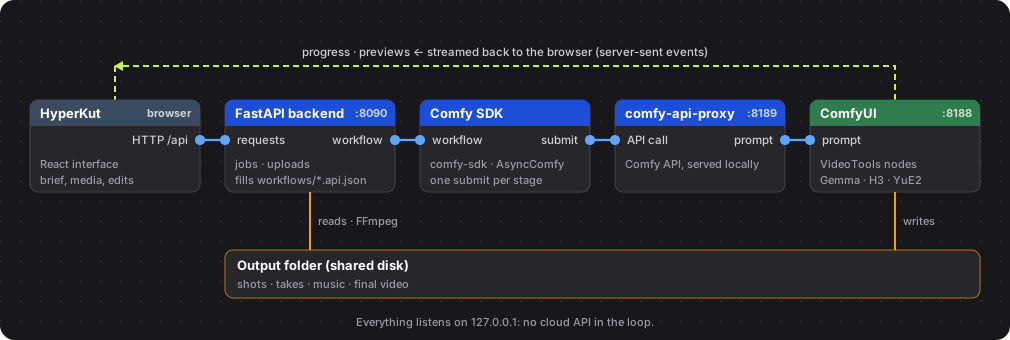
How the servers talk.
Three steps once ComfyUI and its nodes are in place.
Optional finishing, custom ports and details: full installation guide.
cd ComfyUI\custom_nodes\ComfyUI-Majoor-VideoTools
git clone https://github.com/MajoorWaldi/HyperKut-Studio "HyperKut Studio"
python -m venv .venv
.\.venv\Scripts\python.exe -m pip install -r requirements.txt
Push-Location frontend; npm ci; npm run build; Pop-Location
.\scripts\run_studio.ps1 # http://127.0.0.1:8090/